
Worked product example
Live AI coaching for sales objections
The buyer says another quote is 20% lower. Before defending the price, ask what each supplier would actually deliver. Sales Pep can suggest a question or reply in its desktop widget while you’re still on the call.
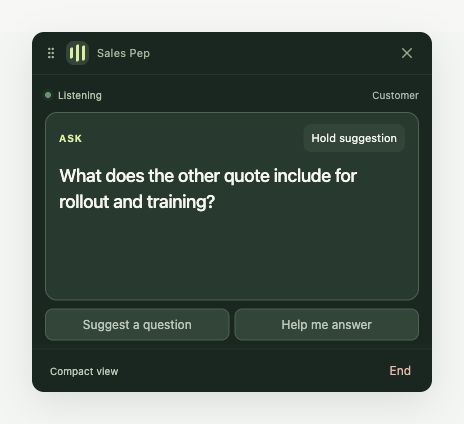
Find out what the price includes
Your offer includes rollout and training. The buyer is comparing the price with a cheaper quote.
Fictional conversation. Sales Pep uses the live transcript and any context you provide to suggest what to ask or say.
- Buyer
- “The other quote is 20% lower.”
- Buyer
- “Just the licence. We’d handle rollout and training ourselves.”
- Follow-up
- “Who on your team would take that on?”
- Buyer
- “Our operations lead. She’s already stretched.”
- You
- “Could we compare both options with her, including what your team would need to do?”
The buyer can now compare the work involved as well as the prices. Check every suggested price or promise against your approved terms before you say it.
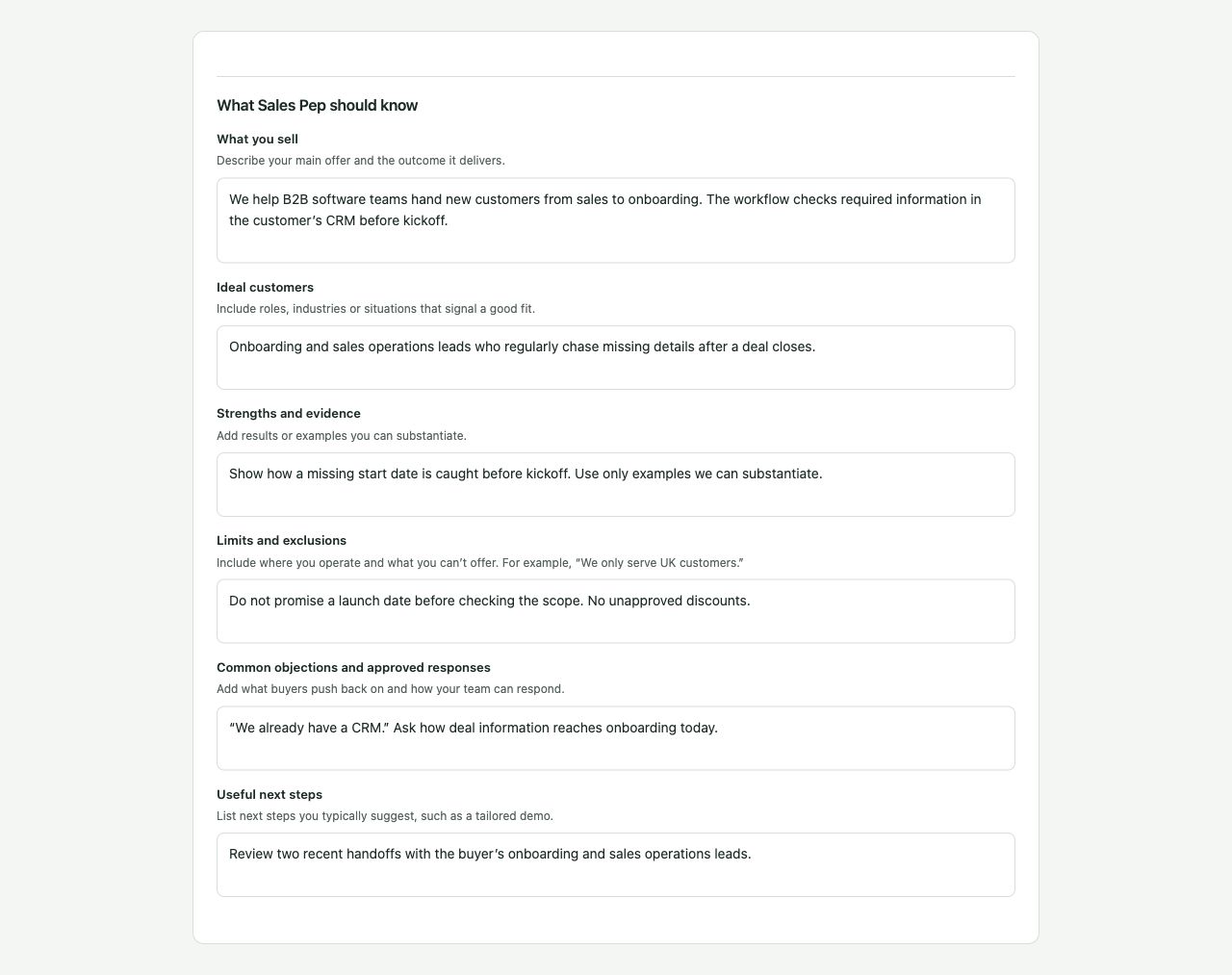
What to give Sales Pep before the call
- Your offer
- €12,000 for the first year, including the software licence, rollout and two training sessions.
- Your limits
- Discounts require approval. A smaller rollout can be priced separately. Ask what the other quote includes.
- What to learn
- Find out how the buyer is comparing the quotes and who needs to weigh in.
See where you add company context
Two other objections worth clarifying
- “We already have a supplier.”
- Ask what works well today and what would have to change before they reconsider.
- “We can’t do this this quarter.”
- Ask what is holding it up. A team with no capacity for rollout needs a different next step from one waiting for funding.
Try a price reply or read the price objection guide for more worked conversations.
What you need for your first call
Use an Apple silicon Mac with macOS 14.2 or later. Start the meeting as usual in Zoom or Google Meet. Sales Pep runs on your Mac during the call with no meeting bot to invite. Check your microphone and computer audio, then try a call with a colleague. Follow the Mac setup guide.
You decide what to say. Suggestions may take a moment and can be wrong. Inform participants and obtain any required permission. Read how call audio and data are processed.