
Worked product example
AI coaching for B2B discovery calls
A buyer says the handoff from Sales takes too long. A good follow-up gets them talking about the last deal. See the kind of question Sales Pep can suggest in its desktop widget while you listen.
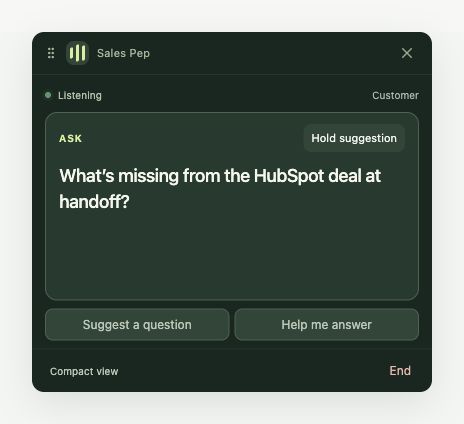
Find the missing detail
Your buyer leads customer onboarding. Sales uses HubSpot, and the onboarding team sometimes has to chase missing deal details in Slack.
Fictional conversation. Sales Pep uses the live transcript and any context you provide to suggest what to ask or say.
- Buyer
- “Our handovers take too much time.”
- Buyer
- “Last week we were missing the agreed start date. We moved the kickoff twice.”
- Follow-up
- “Who had to rearrange their work when the kickoff moved?”
- Buyer
- “Our consultant had kept two days free. I’d have to check how often that happens.”
- You
- “Could we review two recent handoffs with your sales operations lead? That would help us see what needs checking before kickoff.”
You have a recent example and a reason to meet again. After the call, note who will bring the examples, what you will check, and when you will meet.
What to give Sales Pep before the call
- What you sell
- A workflow that checks required information before onboarding starts. It works with the customer’s existing CRM.
- What you know
- The buyer leads onboarding. Sales uses HubSpot, and onboarding sometimes chases details in Slack.
- What to learn
- Find the missing information and what it delays. Check the scope before discussing a launch date.
See where you add company context
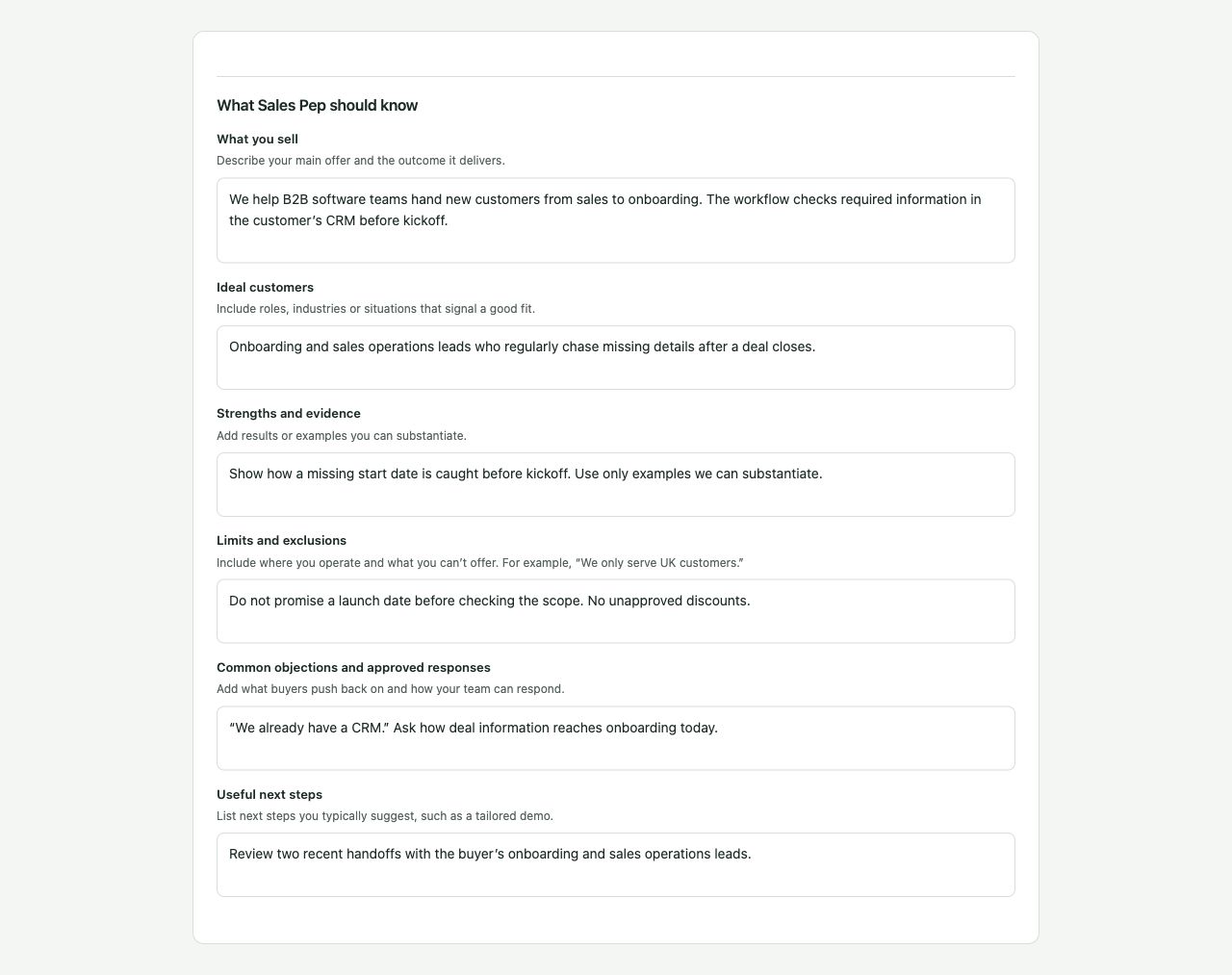
Before, during and after the call
- Before
- Add your offer, what you know about the buyer, and the purpose of the meeting.
- During
- Read a suggested question or ask for help answering. Use the suggestion that fits the conversation.
- After
- Review the confirmed transcript and note what the buyer agreed to and what needs checking.
Plan your next discovery call with six questions and a 25-minute agenda.
What you need for your first call
Use an Apple silicon Mac with macOS 14.2 or later. Start the meeting as usual in Zoom or Google Meet. Sales Pep runs on your Mac during the call with no meeting bot to invite. Check your microphone and computer audio, then try a call with a colleague. Follow the Mac setup guide.
You decide what to say. Suggestions may take a moment and can be wrong. Inform participants and obtain any required permission. Read how call audio and data are processed.